week 10
1
| |
Week 10
This week flew by. Fastest week so far. I’m in the mood for an in depth reflection, so for the non-techies out there, put your skim goggles on.
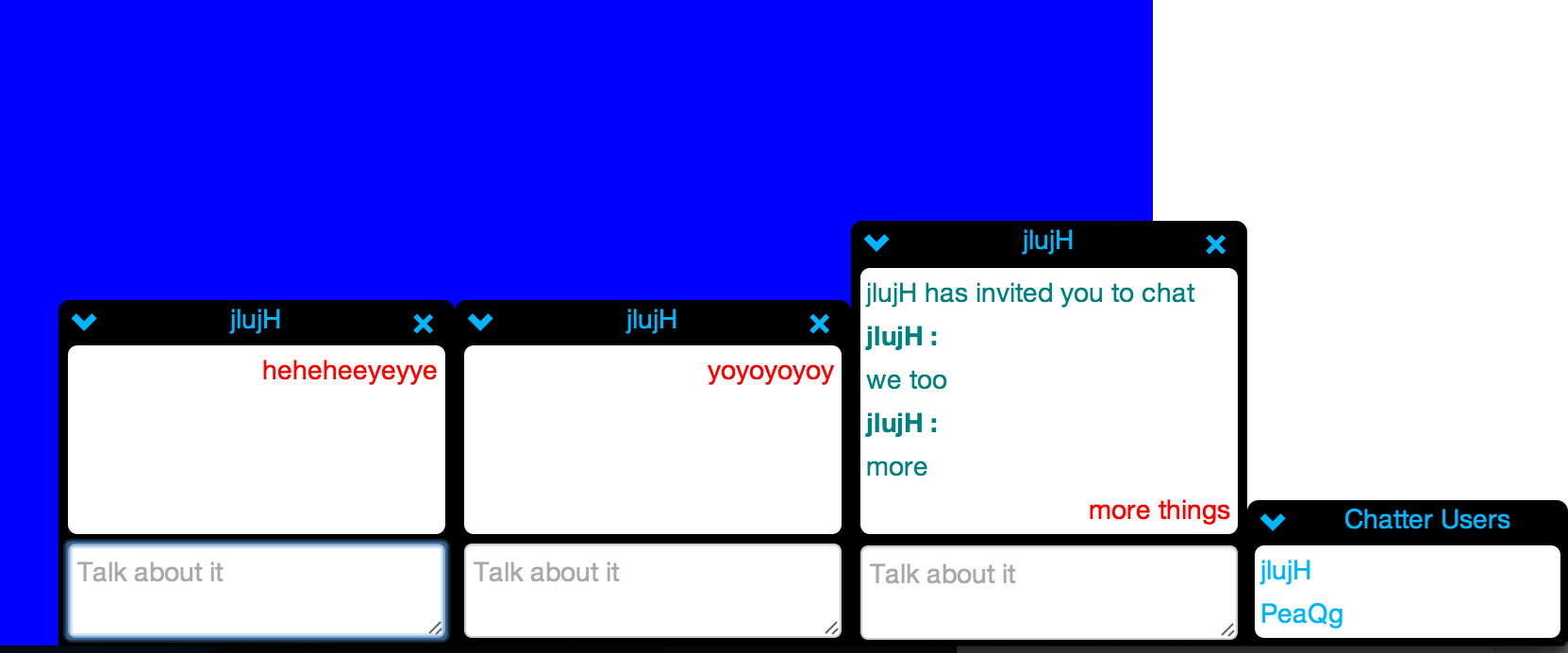
Last Saturday I took some steps backward with ChatterJS and began forming classes and providing some structure to the app. The most important or distinguishable feature in my app is that the conversations persist as a user moves around a website. Last week, I was using the socket which is established when a user navigates to the site using ChatterJS as the base unit. When a user navigated to a new page, the socket is disconnected, and a new socket is established. Because was not a dependable source of truth, I could not rely on socketIO’s structure for my chatting app. Instead, I created a User class (which seems obvious in retrospect). The class gets the username, and potentially other useful information from the site the user is visiting. When the user logs in the site triggers a login function to my app, which lets the chatter app know to open the chat to the logged in user. I then assign the user an id on my node server and add the id as a cookie to their browser. The user class, along with a username and id, also has a socket and a list of rooms they are currently chatting in. SocketIO has an extremely useful rooms concept, which enables you to add sockets to a room and then send messages only to the specific sockets in that room. Last week I could only create one giant room, which was the whole app. The socketIO room, while useful, was not structured exactly how I wanted it to be, so I created a Rooms class. A room has a list of user ids, a list of messages, and an id. The room id was also stored in the User model and I used as the room name to emit messages from. I also created a simple Message class which had information about each message sent, username, user id, and text. The users and rooms are stored in a UserCollection and RoomCollection respectively. These collections are stored in a global ChatterApp variable on the server side. By creating these classes, I began to map my logic out into models separate from the app.js file which began acting like a controller. On the client side, I split my logic into a model/receiving controller and a view/sending controller. I’m not completely satisfied with my client side approach yet. I am still cluttering a few pieces together. Currently I am using requireJS to collect all my separate javascript files into one large file to send to the client. As a result, I’ve taken some creative measures to get my two files to play nice with each other.
Currently I am able to login in multiple users, see the logged in users in the users list, click on users to open chats with them, chat with the users, leave a chat, and get notified when a user leaves a what. When a users navigates to a new page (which I am simulating by refreshing the page) all information, logged in users, open chats, and messages, are all reloaded on the new page. And because I am using node and sockets everything is wicked fast. I’m also not using a database right now, which actually wouldn’t change too much because its a node server, but I’m probably saving myself from some crazy timing issues by forgoing a database.
My next steps are to broadcast updates to a user’s status when they navigate to a new page or interact with the app. Active users could be green, idle users, yellow and so forth. Currently rooms can only have two users, but I would like to make it so multiple users could be in a room. I’ve stalled on this because I can’t decide how the UI of adding a third person to a chat should look. The app isn’t Mozilla compatible right now, but this should just be a quick CSS fix. The chat widgets currently are in line with the rest of the HTML on the page but I would like to raise the z access on all the chat pieces so that html on the page will not be affected by adding the chatter app (I do have a slide down effect to allow users to hide chatter if they don’t need it at some point). And lastly, my current design makes a large assumption that the chatter app is only running on one website. This will probably require a big fix where I rework the code to namespace every user and room with the current url. This functionality is provided to socketIO so it won’t be terribly difficult, but definitely a process. Hopefully I can finish this up in the next few days so that I can move on to P2, ‘big-little matchmaker’, where I will move back into the wonderful world of ruby on rails and hopefully get some major experience working with backbone.
Until next time, Kyle
p.s. the app name is temporary, let me know if you come up with anything better